Start a Training Session
Wear the heart rate sensor, and make sure you have paired it and any other compatible sensors with your V800.
|
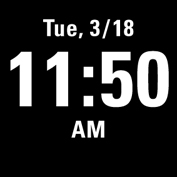
1. Begin by pressing the button to enter pre-training mode.
|
Choose the sport you want use
.jpg)
|
2. Choose the sport profile you want to use. To change the sport profile settings before starting your session (in pre-training mode), press and hold to enter the Quick Menu. To return to the pre-training mode, press .
|
Wait for GPS and optional sensors to be found
|
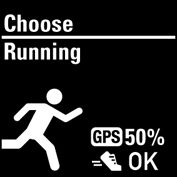
3. If you have activated the GPS function and/or paired an optional sensor*,V800 will automatically start searching for the signals.
|
|
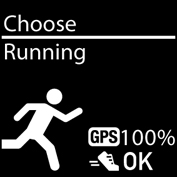
4. Stand still and hold the position until V800 has found the satellite signals. The percentage value shown next to the GPS icon indicates when the GPS is ready. When it reaches 100 %, Ok is displayed, and you are ready to go. V800 uses SiRFInstantFix™ satellite prediction technology to acquire a fast satellite fix. It accurately predicts satellite positions for up to three days allowing you to find satellite signals in 5 -10 seconds. To catch the GPS satellite signals, go outdoors and away from tall buildings and trees. Wear V800 with the face upwards on your wrist. Keep it in a horizontal position in front of you and away from your chest. Keep your arm stationary and raised above the level of your chest during the search
5. When V800 has found all the signals, press . Recording started is displayed and you can start training. During training recording you can change the training view with . To change settings without stopping the training recording, press and hold to enter Quick menu. For more information, Quick Menu
|
 Stay in the pre-training mode until V800 has found the sensor signals and your heart rate. OK is shown next to the sensor icon when it is found.
 *Optional sensors include Polar Stride Sensor Bluetooth® Smart, Polar Cadence Sensor Bluetooth® Smart and Polar Speed Sensor Bluetooth® Smart.
Start a Multisport Training Session
Before starting a multisport training session, make sure that you have set the sport profile settings for each of the sports that you are going to use for the training session. For more information, see Sport Profiles
|
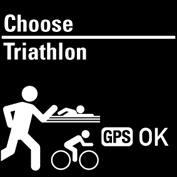
1. Begin by pressing the button. 2. Choose Triathlon, Free multisport or any other multisport profile (can be added in the Flow web service). 3. Once V800 has found all the signals, press . Recording started is displayed and you can start training. 4. To change the sport press BACK to go to transition mode. 5. Choose your next sport, and press START (your transition time is shown) and continue training. |
For more information on multisport, see Multisport
Start a session with Training Target
-
Begin by going to Diary or Favorites.
-
In Diary, choose the day the target is scheduled and press , and then choose the target from the list and press START. Any notes you have added to the target are displayed.
or
In Favorites, choose the target from the list and press . Any notes you have added to the target are displayed.
-
Press to enter the pre-training mode, and choose the sport profile you want to use.
-
When V800 has found all the signals, press . Recording started is displayed and you can start training.
For more information on training targets, Training Targets
Start a Session with Route Guidance
-
Begin by going to Favorites.
-
Choose the route from the list and press .
-
Press to enter the pre-training mode, and choose the sport profile you want to use.
-
When V800 has found all the signals, press . Recording started is displayed and you can start training.
For more information on route guidance, see Route Guidance
Start a Session with Race Pace
-
Begin by going to Favorites.
-
Choose Race pace, and press . Set the target distance km/m and target time.
-
Press to enter the pre-training mode, and choose the sport profile you want to use.
-
When V800 has found all the signals, press . Recording started is displayed and you can start training.
For more information on Race Pace, see Race Pace
Start a Session with Interval Timer
You can set one repeating or two alternating time and/or distance based timers for guiding your work and recovery phases in interval training.
- Begin by going to Timers > Interval timer. Choose Set timer(s) to create new timers.
- Choose Time-based or Distance-based:
- Time-based: Define minutes and seconds for the timer and press .
- Distance-based: Set the distance for the timer and press .
- Set another timer? is shown. To set another timer, choose Yes.
- When completed, choose Start X.XX km / XX:XX and press to enter the pre-training mode, and then choose the sport profile you want to use.
- When V800 has found all the signals, press . Recording started is displayed and you can start training.