The Polar FT80 training computer records and displays your heart rate and other data during training. The Polar H1 heart rate sensor transmits the heart rate signal to the training computer. The heart rate sensor consists of a connector and a strap. You can transfer data easily between your FT80 and the polarpersonaltrainer.com web service with Polar FlowLinkTM and WebSync software. The latest version of this user manual can be downloaded at www.polar.com/support. | 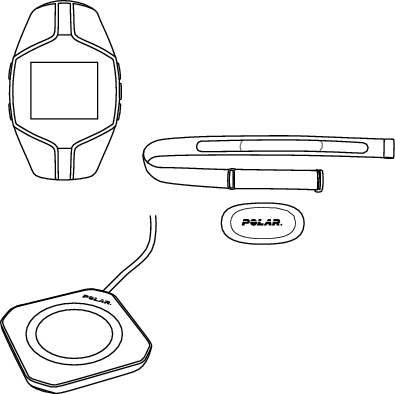 |
|
|
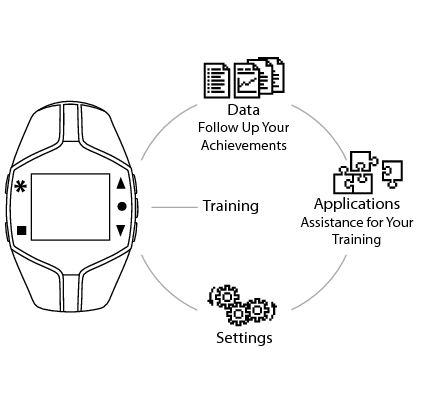 |


Symbol | Description |
 | The wrist unit battery level is low. |
 | The alarm is active. |
 | Sounds are off. |
 | Time 2 is in use. |
 | You have one or more new messages. |
 | The key lock is active. |
 | The Polar S1 foot pod™ is in use. If the symbol is blinking, FT80 is trying to establish a connetion with the foot pod. |
 | The Polar G1 GPS sensor is in use. If the symbol is blinking, FT80 is trying to establish a connection with the GPS sensor, or the GPS sensor is trying to establish a connection with the satellites. |
 | Heart rate is detected. |
To activate your FT80, press and hold any button for one second. Once activated, it cannot be switched off.
Select Language with UP button and confirm with OK button.
Please enter basic settings is displayed. Press .
Select Time format.
Enter Time.
Enter Date.
Select Units. Select metric (kilograms, centimeters, KCAL) or imperial (pounds, feet, CAL).
Enter Weight.
Enter Height.
Enter Date of birth.
Select Sex.
Settings OK? is displayed.
Select Yes to accept and save settings. Basic settings complete is displayed and the FT80 enters time view.
Select No to change settings. Please enter basic settings is displayed. Re-enter your basic settings.
To modify your personal settings later, see Settings.
↑ Back to top