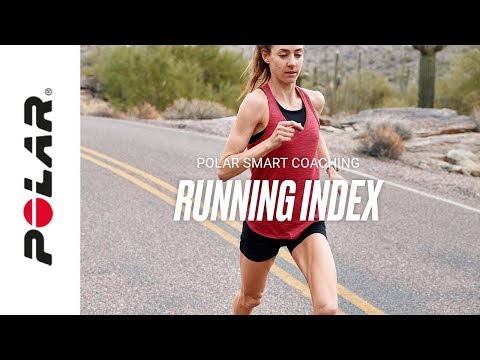
Cómo descargar todos tus datos del ecosistema Polar Los usuarios de las apps Polar Flow y Polar Beat pueden descargar sus datos personales acumulados en Polar Flow. Puedes gestionar tu cuenta Polar desde account.polar.com.Para descargar tus datos online de Polar Flow:Entra en https://account.polar.com e identifícate con la dirección de correo... Cómo deshabilitar el ahorro de energía para las apps Polar Beat y Polar Flow Android Es posible que tengas que deshabilitar el ahorro de energía y todas las restricciones de segundo plano de la app Polar Flow/Beat en tu dispsitivo Android si tienes alguno de los problemas que se enumeran a continuación.Polar Flow:La sincronización automática no funciona en segundo plano o es... Resolución de problemas del sensor de frecuencia cardíaca Polar H9/H10 Si tu sensor de frecuencia cardíaca Polar H9/Polar H10 no funciona como debería, intenta solucionarlo con las siguientes instrucciones. Running Index See here what you need to do on RS800CX/RS400/RCX5/RCX3/Polar Beat mobile application to measure Running Index. ¿Piensas vender tu producto Polar? Si vas a vender tu producto Polar, tienes que eliminar la conexión de producto Polar con tu cuenta Polar y eliminar los datos guardados en tu producto Polar. Puedes hacerlo mediante un restablecimiento de fábrica con el software FlowSync y quitando el producto de la lista de Productos registrados en... Android phone compatibility issues with Polar products There is plenty of variation between how different Android devices handle the technologies used in our products and services, such as Bluetooth Low Energy (BLE) and different standards and protocols. Because of this compatibility varies between phone manufacturers, and from time to time we discover... ¿Puedo vincular el H10 con varios dispositivos? Puedes vincular el H10 con más de un dispositivo Bluetooth pero, por lo general, solo puedes usarlo con uno a la vez.Sin embargo, con la app Polar Beat puedes activar el ajuste Bluetooth dual para poder usar el H10 simultáneamente en dos dispositivos, por ejemplo, con equipo compatible del gimnasio... Can I record my heart rate without a training device or a training app? Yes, you can, but you must start the training session with Polar Beat, the mobile app. The Polar H10 heart rate sensor has an internal memory that allows you to record one training session with it without a connected training device or a mobile training app close by.Here’s how you do it:Wear the H10... Conectar Polar Beat con la app Salud de Apple La app Polar Beat para iOS es compatible con la app Salud de Apple. Ahí se pueden recopilar y ver datos relacionados con el estado desde aplicaciones y dispositivos compatibles.Instala o actualiza la app Polar Beat desde el App Store de Apple y abre la aplicación.Ve a Ajustes y toca la app Salud de... ¿Mide el sensor H10 la frecuencia cardíaca al nadar? Si, el sensor de frecuencia cardíaca Polar H10 es una buena opción para nadar. Puedes grabar un archivo de frecuencia cardíaca en la memoria del sensor o utilizar el sensor con un reloj con conexión GymLink de 5 kHz mientras nadas.Cuando utilices la memoria integrada del sensor, conecta el H10 con... Force Polar Beat training sessions list to sync with Polar Flow In case your training results are not transferred to the Polar Flow web service automatically, you can manually transfer them by swiping down and holding the sessions list page for a moment.The training sessions are accessible from the home page by swiping up. Get started with Polar Beat Problemas de conectividad del H10/H9 con Android 13 Tras la actualización a Android 13, muchos modelos de teléfono han experimentado problemas de conectividad con los periféricos Bluetooth y, lamentablemente, esto afecta también a algunos de nuestros usuarios de los sensores de frecuencia cardíaca Polar H10 y H9. Estos problemas se originan en el... Having problems syncing OH1 with Beat app? Make sure location is enabled for Polar Flow app in the phone's application settings. On Android 6 and newer devices, location permission is needed to scan for Bluetooth devices. If you have saved a standalone session to OH1's memory and have trouble initiating the sync with Polar Beat... Heart rate based training Your heart rate data gives you an insight into your physical condition and helps you understand how your body responds to training. The information you receive is useful in fine-tuning your training plans, for example, the regularity and intensity of your training, and will help you reach your peak... How can I automatically sync my data from Polar Flow to Strava? You can now automatically sync your training sessions from the Polar Flow web service to Strava. All you need to do is connect your Polar Flow account to the Strava service and you’ll see your training sessions in Strava as well!After you’ve joined your Polar Flow and Strava accounts your training... ¿Cómo puedo actualizar Polar H10/H9? Con el sensor de frecuencia cardíaca Polar H10/H9, podrás obtener actualizaciones para tu sensor para mejorarlo o incluso incorporar nuevas funcionalidades. Podrás actualizar el firmware a través de Polar Beat o la app móvil Polar Flow.Para recibir actualizaciones del firmware, tu sensor de... How can I update Polar OH1? You can update the firmware of your OH1 yourself to keep it up to date. You'll be notified via Flow when a new version is available. Firmware updates are performed to improve the functionality of your OH1. They can include improvements to existing features, completely new features or bug fixes.... ¿Cómo calibro mi Sensor running Bluetooth® Smart Polar con Polar Beat? La asistencia de Sensor running solo está disponible en iOS. Tienes que calibrar tu sensor running durante o después de una sesión de entrenamiento para mejorar la precisión en el cálculo de la distancia, también para futuros entrenamientos. Con el sensor vinculado y activo, inicia una sesión e... How do I use Polar Beat on my Apple Watch? Here are a few tips on how to use it:On first launch, first start the app on your iPhone and then on your watch.Remember to keep the iPhone nearby or with you during your workout.To get your heart rate data, you must use the Polar H7/H10 heart rate sensor with a chest strap and have it paired it... How to change the language of Polar Flow and Polar Beat Here's how to change the app language on both mobile platforms:AndroidThe app language is the same language that your phone operating system uses. The only way to change the app language is to change the phone language in the phone settings.iOSYou can also change the app language separately... How to check the battery level status of my heart rate sensor? You can check the battery level status using the Polar Flow or Polar Beat mobile app as long as you have paired your heart rate sensor with the app.Using the Polar Flow appFor iOS1. Wear the heart rate sensor.2. In the Polar Flow app, go to Start (1). 3. Tap the Menu icon next to the Start button to... Cómo deshabilitar el ahorro de energía para las apps Polar Beat y Polar Flow Android Es posible que tengas que deshabilitar el ahorro de energía y todas las restricciones de segundo plano de la app Polar Flow/Beat en tu dispsitivo Android si tienes alguno de los problemas que se enumeran a continuación.Polar Flow:La sincronización automática no funciona en segundo plano o es... Cómo descargar todos tus datos del ecosistema Polar Los usuarios de las apps Polar Flow y Polar Beat pueden descargar sus datos personales acumulados en Polar Flow. Puedes gestionar tu cuenta Polar desde account.polar.com.Para descargar tus datos online de Polar Flow:Entra en https://account.polar.com e identifícate con la dirección de correo... ¿Cómo puedo optimizar los ajustes de mi sensor de frecuencia cardíaca H10/H9/OH1? Polar Beat es compatible con los sensores de frecuencia cardíaca Polar H10, H9 y OH1.Ponte el sensor de frecuencia cardíaca para acceder a los ajustes del sensor en la app Polar Beat. Ve a Ajustes > Sensor de FC.Desactiva la opción Visibilidad del sensor para optimizar la duración de la batería... How to pair a heart rate sensor with Polar Beat app Android Polar Beat is compatible with Polar Bluetooth heart rate sensors: H9, H10 and OH1.The heart rate sensor needs to be paired directly in the Polar Beat app.Please make sure you have GPS enabled on the phone and location permission is allowed for Polar Beat. Due to Google's permission requirements... Cómo vincular un sensor de frecuencia cardíaca con la app para iOS Polar Beat Polar Beat es compatible con los sensores de frecuencia cardíaca Polar Bluetooth H9, H10 y OH1.Es necesario vincular el sensor de frecuencia cardíaca directamente con la app Polar Beat. Si has vinculado el sensor de frecuencia cardíaca en los ajustes del dispositivo móvil, no es posible utilizar la... Inaccurate route or distance? Polar Beat uses the phone's location services feature and is therefore dependent on the phone's functionality. To check that your location services are correctly set, see Compatibility and requirements > Show route and speed in Polar Beat.If GPS reception is poor, for example due to... Polar OwnCal® – Smart Calories Los dispositivos de entrenamiento Polar que cuentan con la función Polar OwnCal® muestran el gasto de energía acumulado (en kilocalorías, kcal) durante el ejercicio y las kilocalorías totales de la sesión de ejercicio actual tras el ejercicio. Además guardan las kilocalorías acumuladas. El cálculo... ¿Piensas vender tu producto Polar? Si vas a vender tu producto Polar, tienes que eliminar la conexión de producto Polar con tu cuenta Polar y eliminar los datos guardados en tu producto Polar. Puedes hacerlo mediante un restablecimiento de fábrica con el software FlowSync y quitando el producto de la lista de Productos registrados en... Polar Beat Android location permission FAQ Why does Polar Beat app need location permission and why Location services need to be enabled to scan for Bluetooth devices? After Android 6.0 was released in 2015, new permission requirements for Bluetooth Low Energy connections were introduced by Google. Android 6.0 or later requires applications... Compatibilidad y requisitos de Polar Beat Polar Beat es compatible con Los dispositivos Polar funcionan con la mayoría de los smartphones modernos. Estos son los requisitos mínimos:Dispositivos móviles iOS con iOS 12 o posteriorDispositivos móviles Android con capacidad Bluetooth 4.0 y Android 6 o posteriores (consultar especificaciones... Polar Fitness Test with OH1 The Polar Fitness Test with wrist-based heart rate is an easy, safe and quick way to estimate your aerobic (cardiovascular) fitness at rest. It's a simple 5-minute fitness level assessment that gives you an estimate of your maximal oxygen uptake (VO2max). The Fitness Test calculation is based... Polar OH1 and Beat | Train without your phone Polar OH1 with Polar Beat | Get started and how to train Running Index | Find out your running VO2max | Polar Smart Coaching Productos Polar compatibles Polar ofrece su servicio de asistencia de productos durante al menos cinco años desde la fecha en que comenzó a distribuirse el producto. Aquí encontrarás las fechas en las que se comenzaron a distribuir los relojes Polar. Una vez que finalice el servicio de asistencia del producto, no se... The what and how of Polar Fitness test What is Fitness Test? The Polar Fitness Test with wrist-based heart rate is an easy, safe and quick way to estimate your aerobic (cardiovascular) fitness at rest. It's a simple 5-minute fitness level assessment that gives you an estimate of your maximal oxygen uptake (VO2max). The Fitness Test... Running Index ¿Qué es Running Index? Si lo que buscas es mantener el rendimiento máximo en tu carrera, esta función te resultará de gran ayuda. El uso regular de la misma te permite ver hasta qué punto corres eficientemente. Tu puntuación de Running Index se calcula automáticamente tras cada carrera, basándose en... Training Benefit feature ​Training Benefit gives you textual feedback on the effect of each training session helping you to better understand the effectiveness of your training. You can see the feedback in Flow web service, Flow app and Beat app. To get the feedback, you need to have trained at least a total of 10 minutes... Training with Polar H10 built-in memory and Polar Beat ​Polar H10 Heart Rate sensor works with all Polar watches and trackers that use Bluetooth to transfer data. You can use it also with the built-in memory and record your heart rate data without a training device or a training app. This video will show you how to record heart rate data outside of the... Training with Polar H9 and Polar Beat Troubleshooting Huawei/Honor connectivity issues with Polar devices Disabling power saving and all background restrictions for the Polar Flow / Beat app in your Android device might be necessary if you’re experiencing any of the issues listed below.Polar Flow:Automatic syncing is not working in the background or it is inconsistent.Polar device does not connect... Resolución de problemas del sensor de frecuencia cardíaca Polar H9/H10 Si tu sensor de frecuencia cardíaca Polar H9/Polar H10 no funciona como debería, intenta solucionarlo con las siguientes instrucciones. ¿Están limpios el elástico y el conector del sensor de frecuencia cardíaca? Sigue las instrucciones de mantenimiento para asegurarte de que obtienes una medición... Voice guidance not working when using Samsung phone If your Beat app doesn't guide you with voice with a Samsung phone even when it's enabled in Beat settings, read on.In Samsung phones, different Text-to-speech engine might be selected. For the Polar Beat voice guidance to work, Google text-to-speech engine needs to be active. Check the... What do I get with Polar Beat? Turn your smartphone into a fitness tracker with a Polar sensors and Polar Beat, our free training app. Train with live heart rate and real-time voice guidance, track your route and distance and get personalized feedback on every workout. Please note that using Beat does not accumulate activity... ¿Qué función tiene ANT+™ en los productos Polar? ANT+™ es un protocolo de transmisión inalámbrica como Bluetooth®, pero no requiere vinculación como ocurre con Bluetooth. Al enviar la señal ANT+, el receptor ANT+ compatible más cercano es capaz de recibirla.Los sensores de frecuencia cardíaca Polar H9, H10, OH1 y Verity Sense son compatibles con... What is my Training background? Training background is an assessment of your level of long-term physical activity. Select the alternative that best describes the overall amount and intensity of your physical activity during the past three months. Your training background is used in determining your energy expenditure, and it also... Which products are compatible with Polar Flow web service? Polar Flow is an important part of the Polar ecosystem for our newest devices and all future products.At the moment Polar Flow is compatible with:Grit XGrit X ProGrit X2Grit X2 ProIgniteIgnite 2Ignite 3M200M400M430M460OH1 optical heart rate sensorPacerPacer ProPolar Beat appPolar LoopStreet...



No hay resultados para la búsqueda
Mostrar todo

Tutoriales de vídeo

NEWSLETTER_POPUP

Suscríbete y obtén un 10% de descuento

Asegúrate de recibir tu invitación a la familia Polar. ¡Suscríbete ahora a nuestra newsletter para no perderte nuestras ofertas y novedades! Recibirás un 10% de descuento* en una compra.

Al hacer clic en Suscribir, aceptas recibir correos electrónicos de Polar y confirmas que has leído nuestro Aviso de privacidad.

*Esta promoción no es acumulable con otras promociones u ofertas.

NOTIFY_POPUP

Regístrate en la lista de espera.

Este producto está agotado, ¡lo sentimos!
Pero no te preocupes, pronto volverán a estar disponibles.
Ingresa tu correo electrónico para enterarte de todo.

Al hacer clic en "Enviar notificación", aceptas recibir correos electrónicos de Polar y confirmas que has leído nuestro Aviso de privacidad.

¡Genial! Te avisaremos en cuanto este producto vuelva a estar disponible.

Success! ##