



























Verity Sense settings in Polar Flow app
Applies to: Verity Sense
Before you can edit the Verity Sense settings in the Polar Flow app, you need to pair the sensor with the app. For details see How do I pair my Polar Verity sense with Polar Flow app.
In the Flow app, go to Devices and choose Polar Verity Sense if you have more than one Polar device. At the top of the device page, you will see information about your device, such as the device ID, ANT+ ID, current firmware version, and whether an update is available, as well as the time of the last sync.
Turn the sensor on and tap Connect to connect it with the Flow app and to view the settings.
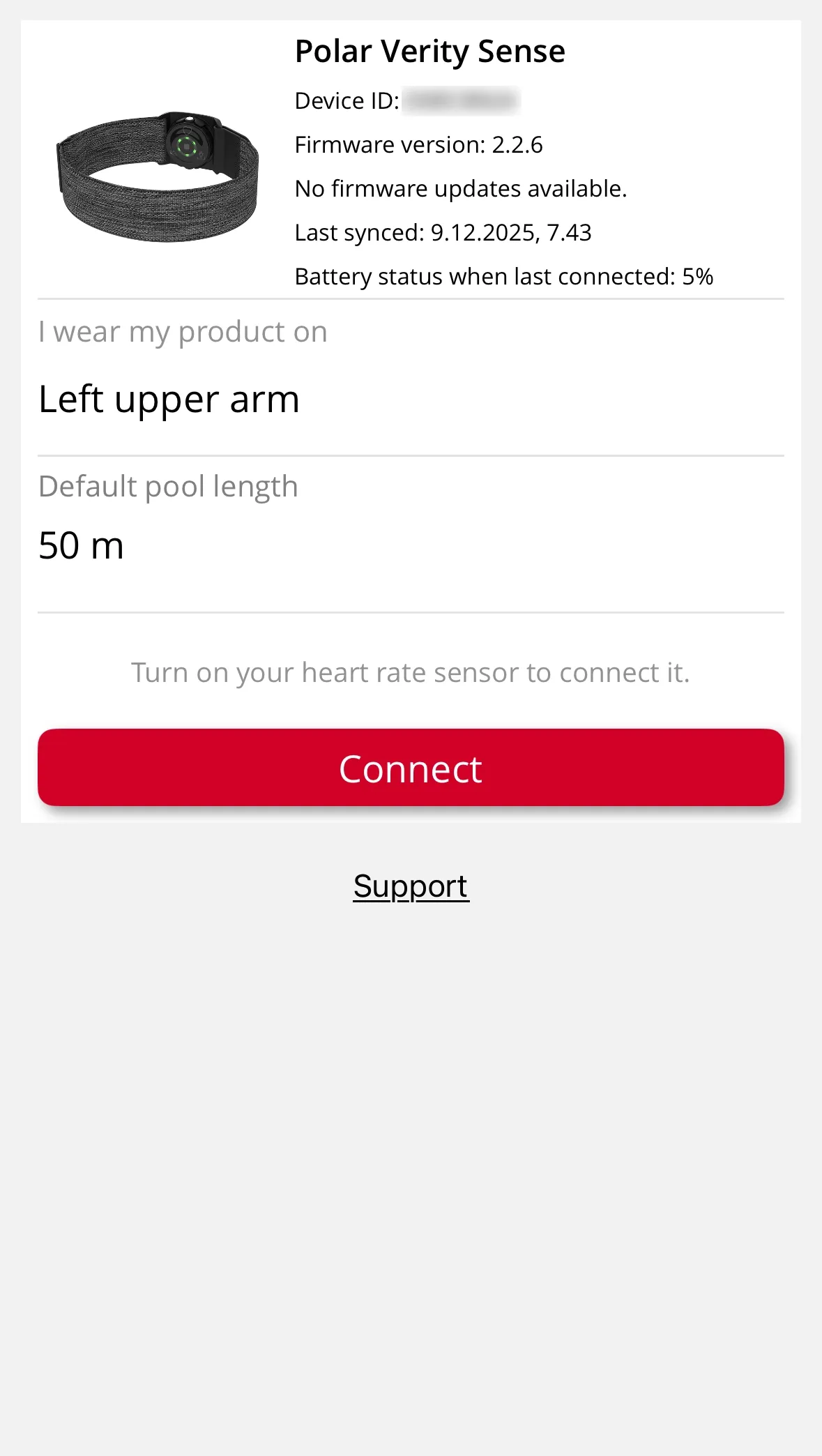
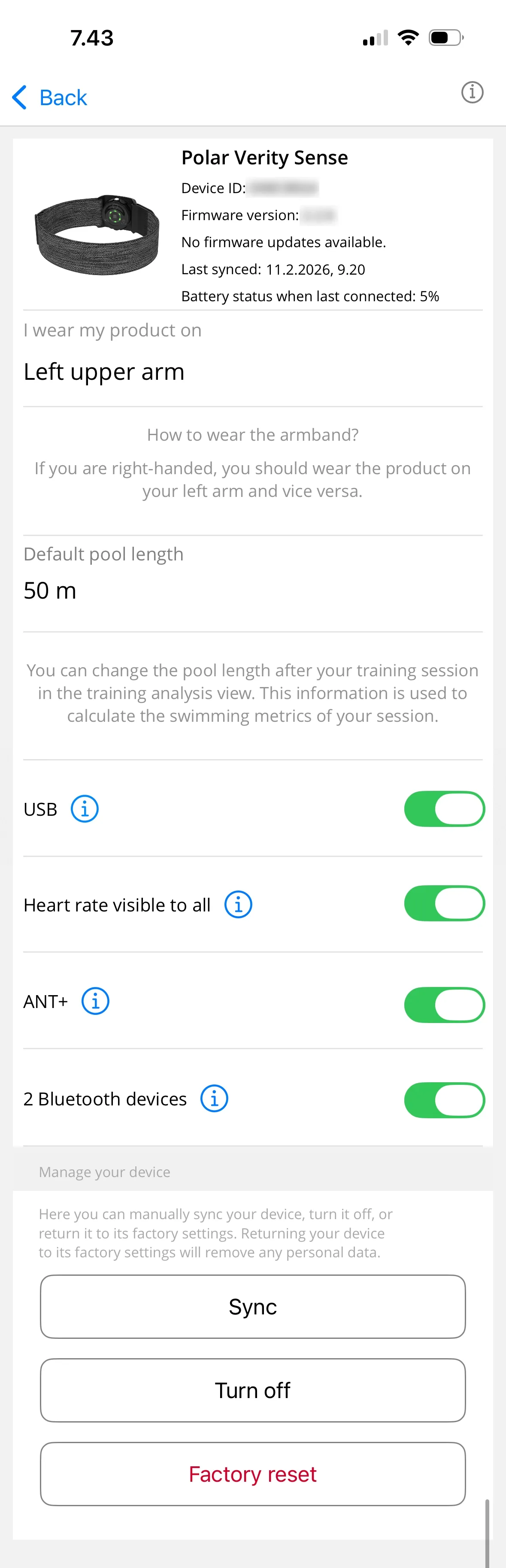
You can edit the following settings:
I wear my product on: Choose Left forearm, Right forearm, Left upper arm, Right upper arm or Other. For more information, see Wearing Polar Verity Sense.
Default pool length: Set the default pool length to be used for swimming distance and pace calculations. Note that you can change the pool length after your swimming session from the training analysis view in the Flow app, and the swimming metrics will be updated accordingly.
USB (available only if your Verity Sense is running firmware version 3.0.15 or later): Off by default. Turning this setting on allows you to use FlowSync for syncing data and performing a factory reset. When this setting is on, anyone with physical access to your device may be able to view or change your data.
Heart rate visible to all: On by default. When on, you are broadcasting your live heart rate publicly meaning that any compatible app or device nearby can pick up your heart rate. Turn off to optimize sensor battery life and make your sensor invisible to other compatible apps or devices.
ANT+: On by default. When ANT+ is on, your sensor is visible to compatible gym equipment or training devices using ANT+ and they can pick up your heart rate.
2 Bluetooth devices: On by default. When the setting is on, any two compatible apps or devices nearby can pick up your heart rate simultaneously. For example, you can share your heart rate with your Polar watch and gym equipment at the same time.
Sync (only in Flow app Android): Choose Sync to manually sync your sensor with the Flow app. For more information, see How do I sync my Verity Sense with the Polar Flow app.
Turn off (only in Flow app Android): You can turn off the sensor through the Flow app's settings. To turn the sensor back on, plug it in to charge and press the sensor button.
Factory reset: Resets your heart rate sensor to its default settings, clears the sensor memory, and removes all personal data from the sensor.
Shop maintenance
Sorry, our shop is currently down for planned maintenance. To track the progress of the break, head over to https://status.polar.com/