Polar Vantage M3

אתם רוצים שעון שהוא חכם אך ספורטיבי, קומפקטי אך עוצמתי, מסוגנן אך חזק. אתם רוצים להתאמן חזק יותר אך להתאושש מהר יותר, לישון טוב ותר אך לגלות יותר. אתם רוצים מעקב ספורט ברמה מקצועית אך תכונות סגנון חיים יומיומיות. אתם רוצים את Polar Vantage M3: שעון המולטי-ספורט לספורטאי מולטי-ספורט.

Polar Grit X2 Pro Titan

Polar Grit X2 Pro Titan הוא שעון ספורט מוקשח לשטח שמיועד להרפתקאות, עם צג AMOLED מזכוכית ספיר ומארז טיטניום, כולל ארגז כלים של תכונות מתקדמות לניווט ולביצועים כדי שתוכלו לגלות את פלאי העולם, וגופכם.

Polar Grit X2 Pro

Polar Grit X2 Pro הוא שעון ספורט מוקשח לשטח שמיועד להרפתקאות, עם צג AMOLED מזכוכית קריסטל ספיר, כולל ארגז כלים של תכונות מתקדמות לניווט ולביצועים כדי שתוכלו לגלות את פלאי העולם, וגופכם.

Polar Vantage V3

מערך של מכשירי חישה-ביולוגית, תצוגת AMOLED, ‏GPS בתדר-כפול, מפות והחבילה המקיפה בשוק ביותר של כלי אימון והתאוששות. הזירה ערוכה ומוכנה, ושעון הספורט החכם Polar Vantage V3 מוכן ומזומן להציג את הביצועים של החיים.

Polar Ignite 3

Polar Ignite 3 הוא שעון כושר ואיכות חיים מסוגנן שעוזר לכם לחיות חיים אנרגטיים יותר. הוא עוקב אחר השינה, הפעילות והדופק שלכם כדי לספק הנחיות שמותאמות אישית לגופכם ולסגנון החיים שלכם.
Polar Ignite 3 Braided Yarn

Polar Ignite 3 Braided Yarn הוא שעון כושר ואיכות חיים מסוגנן שעוזר לכם לחיות חיים אנרגטיים יותר. הוא עוקב אחר השינה, הפעילות והדופק שלכם כדי לספק הנחיות שמותאמות אישית לגופכם ולסגנון החיים שלכם ומגיע עם רצועת שעון רכה, קלה ונוחה במיוחד מסיב ארוג.

Polar Pacer Pro

Polar Pacer Pro הוא שעון ריצה קל במיוחד, מהדור החדש עם GPS, שכולל ברומטר מובנה שמצייד אצנים רציניים בכלי אימון מתקדמים לשיפור היעילות והביצועים בריצות. להפוך כל ריצה לריצה טובה.

Polar Pacer

ריצה היא ספורט פשוט – למה לסבך אותו? Polar Pacer הוא שעון ריצה נוח ותכליתי שכולל GPS ושמספק מענה לכל הצרכים הבסיסיים של האצנים המודרניים, נוסף על כלים מותאמים לאימונים, כדי לעזור להם לשפר דבר אחד בלבד: ריצה.

Polar Unite

שעון פשוט להפליא עם מדריך אימון יומי מותאם אישית, מעקב דופק ופעילות 24/7, יחד עם אפליקציות להערכה אוטומטית של השינה וההתאוששות.

Polar M430

שעון ריצה עם GPS ועם מד דופק במפרק כף היד, תכונות מתקדמות לאימון ריצה ותוכנית ריצה של Polar‏, Polar M430 הוא שעון משוכלל לאנשים שעוסקים בריצה ושואפים להשיג יותר.

Polar Verity Sense

אם חופש תנועה חשוב לכם, Polar Verity Sense זו הבחירה המתאימה עבורכם לכל סוג של ספורט.

Polar H10

זהו החיישן המדויק ביותר בהיסטוריה של Polar ונחשב לתקן הזהב במדידת דופק אלחוטית.

Polar H9

רצועת חזה אמינה למדידת דופק באיכות גבוהה לכל פעילויות הספורט היומיומיות עם קישוריות Bluetooth®‎ ו-ANT+‎. התחברו והתחילו להתאמן.

Polar OH1+

Polar OH1+ is an optical heart rate monitor that combines versatility, comfort and simplicity. You can use it both as a standalone device and pair it with various fitness apps, sports watches and smart watches, thanks to Bluetooth® and ANT+ connectivity.

רצועות שעון

התאימו אישית כל שעון שהוא לסגנון ולצורך הרצויים.

רצועות

החליפו או שדרגו את רצועות החזה או רצועות הזרוע של חיישני Polar.

חשמל וכבלים

לטעינת מוצרים והעברת נתונים במהירות גדולה יותר.

תושבות ומתאמים

התאימו אישית את המוצר לסיטואציה.

[menu_title:HOVER_PANEL_WHO_WE_ARE]

[menu_copy:HOVER_PANEL_WHO_WE_ARE]

[menu_title:HOVER_PANEL_SCIENCE]

[menu_copy:HOVER_PANEL_SCIENCE]

סדרת שעוני שטח Polar Grit X

שעוני Grit X, שנועדו לספורט בשטח ובנויים להתמודד עם כל סביבת טבע אפשרית, תוכננו לעזור לכם לגלות את העולם ולהצטייד לקראת הרפתקאות.

סדרת Polar Vantage Performance

סדרת הדגל שלנו תוכננה במיוחד לביצועים גבוהים ולסוגי ספורט ואימון שדורשים עמידות. כל היבט בשעוני Vantage עוצב מתוך מחשבה על אדם מסוים אחד - הספורטאי.

סדרת מולטי-ספורט Polar Pacer

סדרת Pacer מעניקה לספורטאים את כל הצרכים הבסיסיים כגון GPS מדויק ומעקב דופק מדויק, וכן כלים מקצועיים לאימון, שינה והתאוששות שדרושים כדי להתאמן טוב יותר.

סדרת כושר ובריאות נפשית ופיזית Polar Ignite

מסוגננים, פשוטים וחכמים - שעוני Ignite הם השותף המושלם לכל יעדי הכושר וסגנון החיים.

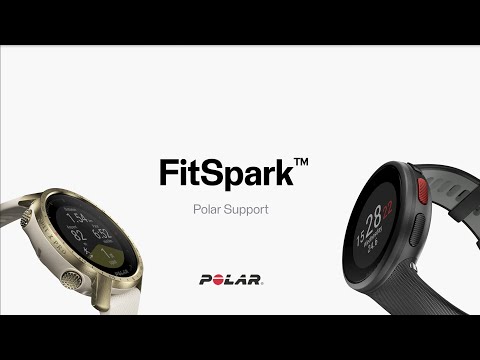
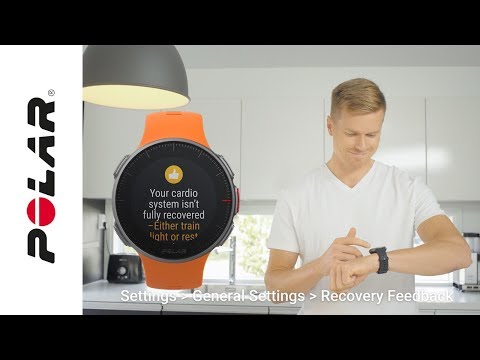
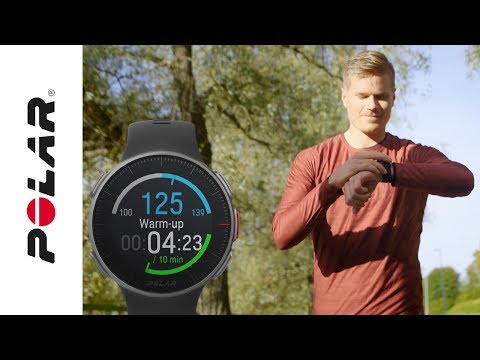
Polar Running Program | Get Started Support video Account already exists! Account already exists! notification is displayed if you already have created a Polar account in one of Polar’s web services with that email address.If you have forgotten or do not know your Polar account password, you can get it via the Have you forgotten your password? link in Polar Flow web... Android phone compatibility issues with Polar products There is plenty of variation between how different Android devices handle the technologies used in our products and services, such as Bluetooth Low Energy (BLE) and different standards and protocols. Because of this compatibility varies between phone manufacturers, and from time to time we discover... Calibrating a stride sensor with Grit X/Pacer/Vantage The calibration process is sport profile-specific. When running on different surfaces (e.g. road, trail), use a different sport profile for each of them to achieve the best calibration for each surface. Manual stride sensor calibrationManual calibration can be done in two ways. You can run a... Can I use Vantage M/Vantage V when swimming? Yes, your Vantage M/Vantage V is suitable for swimming.Your watch automatically measures your heart rate from your wrist with the new Polar Precision Prime sensor fusion technology, offering an easy and comfortable way to measure your heart rate while swimming. Although water may prevent the... Create a training target in the Polar Flow app To create a training target in the Polar Flow app:Go to Training, and click on top of the page.Then choose the type of your training target from the following: Favorite target Choose Favorite target.Choose one the existing favorite training targets or Add new favorite target.Tap on next to the... Does my Polar product contain nickel? Stainless steel is a combination of iron along with elements such as nickel and chromium. Adding these elements to the iron makes it much more durable and stops it from rusting. Many Polar products contain stainless steel in either the back case or the buckle. The stainless steel used by Polar has... Does my Polar watch sync with the Polar Flow app automatically? Your watch automatically syncs with the Polar Flow app once an hour if your phone is within the Bluetooth range. The automatic sync is done also when you finish a training session or change the settings on your watch.If the automatic sync doesn't work, please make sure that:The Polar Flow app... Free Multisport sport profile – How does it work? In free multisport, you can choose what sports you perform, and in which order you perform them by selecting them from the sport list. You can also switch back and forth between sports. For example, you could start off by running, then switch to strength training, then to cycling and finish your... Have you forgotten your password? If you have forgotten your Polar account password, you can get a new one as follows:Go to the Sign in menu and click Sign in.Click Forgot your password?Type in your email address.Click Send. You’ll get an email with a link for changing the password.Open the email and click the link.Enter your new... Heart rate variability (HRV) data file export in the Flow Web Service Training sessions done with an ECG heart rate sensor contain a downloadable heart rate variability (HRV) data file. The data can be exported as a CSV file on the Training analysis page in the Flow Web Service. Please note that the HRV data export is not available in the following cases:Training... How To Use Training Load Pro Support video How To Wear Polar OHR Watch Correctly Support video How can I change my email address in Polar Flow web service? You can change your e-mail address in Polar Account or in flow.polar.com.In flow.polar.com:Sign into the web service.Click your name on the upper right corner and select Settings.Click Change email.Type in your password and click Next.Enter your new email address twice in the appropriate fields and... How can I change the language of Polar Flow web service? Polar flow web service is available in following languages: Czech, Chinese (simplified), Danish, Dutch, English, Estonian, Finnish, French, German, Hungarian, Indonesian, Italian, Japanese, Korean, Norwegian, Polish, Portuguese, Russian, Slovenian, Spanish, Swedish and Turkish.You can change the... How do I create an account for Polar Flow web service? Polar Flow web service uses the same Polar account as other Polar web services.If you already have created an account by signing up for one of Polar's web services or mobile application, or when taking your product into use, your username and password are valid for Polar Flow web service as... How do I install Polar FlowSync on Mac? Go to flow.polar.com/start.Click Download for Mac. FlowSync starts downloading the installation package. This should only take a few minutes.After the download is completed, click the installation package icon on Downloads. The location of the installation package depends on your browser. The... How do I maintain my Grit X/Pacer/Vantage in the best possible condition? Read the tips below to help you keep your watch in good condition.Keep your watch cleanWash the watch under running water with a mild soap and water solution after each training session. Wipe it dry with a soft towel before putting it back on. Keeping the watch clean and dry helps you avoid any skin... How do I sync my Grit X/Pacer/Vantage with Flow service via FlowSync? Go to flow.polar.com/start, and download and install the FlowSync software. If you already have installed FlowSync, make sure that the FlowSync version is 4.0 or newer. Older FlowSync versions are not compatible with Grit X/Grit X Pro/Pacer/Pacer Pro/Vantage M/Vantage M2/Vantage V/Vantage V2. To... How do I sync my Grit X/Vantage with the Polar Flow app? Before syncing make sure:You have a Polar account and the Flow app downloaded and installed to your mobile deviceYour mobile device has Bluetooth turned on, and airplane mode/flight mode is not turned on.Airplane mode/flight mode is not turned on (on both your Polar device and mobile device)You have... How do I update the firmware of my Vantage? To keep your watch up to date and get the best performance, always make sure to update the firmware whenever a new version is available. The firmware updates are performed to improve the functionality of your watch through new features and improvements.Updating the firmware with a mobile device or... How should I wear my Polar device to get the most accurate heart rate readings from the wrist? (Video tutorial) How to build a workout with phases Simple four-phase workout In addition to the actual work phase, it’s good to include also a warm-up, a cool-down and some stretching to your workout—whatever your sport is. It maximizes the benefits of the workout and prevents injuries. So, in its simplest, a phased workout can be just those four... How to delete Polar Account You can close your Polar Account at https://account.polar.com/Closing your account deletes all of your training and personal data from our database permanently. Please note that closing your account will affect everything in your Polar Account including Polar Flow and newsletter registration. All of... How to use Polar Balance scale with Polar Flow If the Polar Balance scale is not compatible with your Polar watch, it cannot be paired or used directly with them. However, you can register the Polar Balance scale to Polar Flow and use it that way.To register the Balance scale to your Flow accountGo to www.polar.com/flow and sign in with your... I’ve made changes in the Polar Flow web service/app, but I can’t see them on my Polar device If you change settings, create or update sport profiles, create training targets or add favorites in the Polar Flow web service or Polar Flow app, you need to sync the changes to your Polar device.You have two ways to sync the changed settings to your Polar device:Sync via FlowSyncIf you make the... My Grit X/Pacer/Vantage is not charging Restart your watch On your watch, go to General settings > About your watch > Restart your watch. Press the OK button and then press OK again to confirm the restart. Restarting the watch will not delete any of the settings or your personal data from the watch. You can also restart your watch... Nightly Recharge™ FAQs Why didn't I get the Nightly Recharge status? If you did not receive the Nightly Recharge status, it could be due to one of the following reasons:The watch was not worn for three consecutive nights and you did not get three successful sleep measurements.Your sleep time was less than 4 hours.The... Pacemaker and Polar products Persons who have a pacemaker use Polar devices at their own risk. Consult your doctor before starting exercise with a heart rate monitor. Pairing Polar device with Flow app fails If Polar Flow app doesn’t find your Polar device, check that:There's enough battery both in your Polar device and your mobile device.Your Polar device is up to date.Bluetooth is turned on in your mobile settings.Airplane mode/flight mode is not turned on (on both your Polar device and mobile... Polar Running Program | How to use Support video Polar Support | FitSpark™ Support video Polar Support | Syncing Support video Polar Support | Wear and care of your Polar device Support video Polar Vantage V / V2 / V3 / M3 / Grit X Pro / Grit X2 Pro | How To Use Recovery Pro Support video Polar Vantage V and M | Get Started On Computer Support video Polar Vantage V and M | Get Started On Mobile Support video Polar Vantage V and M | Training Support video Route Guidance on Grit X/Vantage V The route guidance feature guides you along routes that you have recorded in previous sessions or routes that you've imported into Flow from a third-party service like komoot or Strava for example. You can also import GPX or TCX format routes exported from third-party services into the Polar... Running Index | Find out your running VO2max | Polar Smart Coaching Support video Sleep Plus Stages™ FAQs How does Polar Sleep Plus Stages™ detect when I fall asleep, and when I’m sleeping? Sleep Plus Stages automatically detects when you fall asleep, and when you’re sleeping based on the movements of your non-dominant hand with a built-in the 3D accelerometer in your Polar device. You do not need to... The display of my Polar watch is broken Worn-out third-party screen protectors can cause problems to the normal operation of your Polar watch's display or make you think that the display of your Polar watch is broken. Please check if the third-party screen protector is causing the problem, before you send your watch to the Polar... The what and how of speed and pace zones What are speed and pace zones? Speed and pace zones are a new way of guiding the efficiency of your training during sessions. They work just like heart rate zones, however the intensity of your training is based on your speed or pace, rather than your heart rate. They provide an easy way to choose... Training Benefit feature ​Training Benefit gives you textual feedback on the effect of each training session helping you to better understand the effectiveness of your training. You can see the feedback in Flow web service, Flow app and Beat app. To get the feedback, you need to have trained at least a total of 10 minutes... Vantage M/Vantage V GPS settings From firmware version 4.0.11 onwards you can change the satellite navigation system your watch uses in addition to GPS. The setting is located on your watch in General settings > Positioning satellites. You can choose GPS + GLONASS, GPS + Galileo or GPS + QZSS. The default setting is GPS +... Vantage V and Vantage M activity tracking update (firmware update 3.2.10) Even though Vantage is a pro-level watch series, we’ve noticed that reaching the daily activity goal has been too hard at times and may have required more effort than it should have. We’ve tweaked the activity tracking algorithm, and after updating the firmware of your Vantage to 3.2.10 you should... Water resistance of Polar products Polar products can be worn when swimming. They are not, however, diving instruments. Why does my activity accumulate differently with my new Polar device with Continuous Heart Rate feature compared to my older Polar device? The Continuous Heart Rate feature complements the 24/7 Activity Tracking feature of Polar devices. While the 24 /7 Activity Tracking feature records your wrist movements to track your activity, the Continuous Heart Rate feature also tracks your heart rate around the clock in order to give you an...
[simple_text:SUPPORT_PRODUCT/NO_SEARCH_RESULTS]
[simple_text:SUPPORT_PRODUCT/SHOW_ALL]

Video tutorials

NEWSLETTER_POPUP

שלום לכם, הירשמו וקבלו הנחה של 10%

הקפידו לקבל את ההזמנה שלכם למשפחת Polar. הירשמו כעת לניוזלטר והישארו מעודכנים בכל החדשות וההצעות הנהדרות שלנו! תקבלו הנחה של 10%* על רכישה אחת.

לחיצה על 'להרשמה' מהווה אישור לקבלת הודעות אימייל מ-Polar‏ ולכך שקראתם את מדיניות הפרטיות שלנו.

*לא ניתן לשלב מבצע זה עם הצעות או מבצעים אחרים.