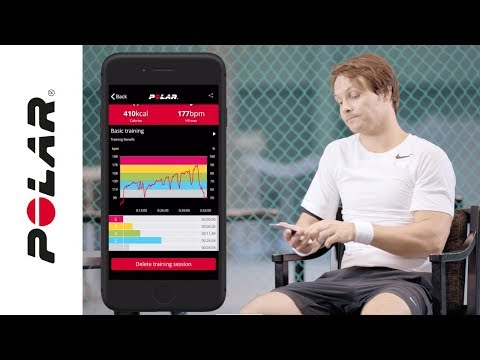
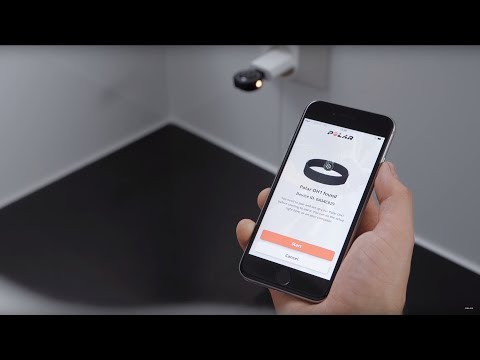
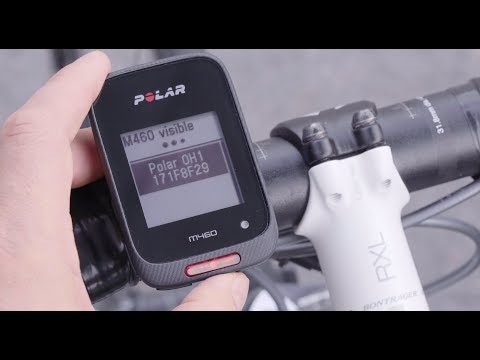
Cómo descargar todos tus datos del ecosistema Polar Los usuarios de las apps Polar Flow y Polar Beat pueden descargar sus datos personales acumulados en Polar Flow. Puedes gestionar tu cuenta Polar desde account.polar.com.Para descargar tus datos online de Polar Flow:Entra en https://account.polar.com e identifícate con la dirección de correo... Grabar sesiones de entrenamiento con la app Polar Flow Puedes grabar tus sesiones de entrenamiento en la app Polar Flow, también con la frecuencia cardíaca si utilizas un sensor de frecuencia cardíaca vinculado.Para entrenar con la app Polar Flow:Ve a Entrenamiento > Iniciar en la parte superior de la página.Toca el icono de deporte para seleccionar... Perfiles de deporte de Polar Aquí tienes una lista de todos los perfiles de deporte compatibles con Polar Flow y los dispositivos Polar. Puedes elegir hasta 20 perfiles de deporte a la vez para tu dispositivo Polar. Consulta ¿Cómo puedo editar los perfiles de deporte y las vistas de entrenamiento en Polar Flow? para obtener más... ¿Con qué sensores y accesorios es compatible mi pulsómetro de entrenamiento Polar? Sensores de frecuencia cardíaca compatibles... ¿Puedo cambiar la batería de mi dispositivo Polar? Consulta a continuación qué debes hacer en caso de que sea necesario cambiar la pila de tu producto Polar.Dispositivos cuya pila puede ser sustituida por el usuarioPuedes cambiar la pila de los siguientes dispositivos:Sensor de frecuencia cardíaca H10Sensor de frecuencia cardíaca H9Consulta las... ¿Cómo reinicio mi Polar OH1? Coloca el sensor OH1 en el adaptador USB con las lentes hacia arriba, de forma que los contactos del sensor y el adaptador USB coincidan.Conecta el adaptador USB en el puerto USB del ordenador. Asegúrate de que el software FlowSync se está ejecutando.Haz clic en el icono Ajustes y RESTABLECIMIENTO... ¿Cómo puedo restablecer mi OH1/Verity Sense? Si tienes problemas con tu sensor Polar, puedes restablecerlo a los ajustes de fábrica. Ten en cuenta que, al restablecer el sensor a los ajustes de fábrica, se eliminan todos los ajustes y datos personales del sensor, de modo que tendrás que configurarlo de nuevo para tu uso personal. Todos los... ¿Piensas vender tu producto Polar? Si vas a vender tu producto Polar, tienes que eliminar la conexión de producto Polar con tu cuenta Polar y eliminar los datos guardados en tu producto Polar. Puedes hacerlo mediante un restablecimiento de fábrica con el software FlowSync y quitando el producto de la lista de Productos registrados en... ¿Puedo cambiar la batería de mi dispositivo Polar? Consulta a continuación qué debes hacer en caso de que sea necesario cambiar la pila de tu producto Polar.Dispositivos cuya pila puede ser sustituida por el usuarioPuedes cambiar la pila de los siguientes dispositivos:Sensor de frecuencia cardíaca H10Sensor de frecuencia cardíaca H9Consulta las... Can I pair OH1 with several devices? Polar OH1 connects with the whole Polar family via Bluetooth, and, it can be paired with multiple devices but it is not possible to use it with several devices at the same time. Compatibility of Polar H9 / H10 / OH1 / Verity Sense Heart Rate Sensor What mobile devices can I use with Polar heart rate sensors Polar H9, Polar H10, Polar OH1 and Polar Verity Sense? Polar devices work with most modern smartphones. Here are the minimum requirements:iOS mobile devices with iOS 13 or laterAndroid mobile devices with Bluetooth 4.0 capability and... ¿Tienes un producto Polar de segunda mano? Si has adquirido un producto Polar de segunda mano, tienes que asegurarte de que el producto ya no está asociado con la cuenta Polar del propietario anterior. Puedes hacerlo mediante un restablecimiento de fábrica con el software FlowSync. Para obtener instrucciones acerca del restablecimiento de... Having problems syncing OH1 with Beat app? Make sure location is enabled for Polar Flow app in the phone's application settings. On Android 6 and newer devices, location permission is needed to scan for Bluetooth devices. If you have saved a standalone session to OH1's memory and have trouble initiating the sync with Polar Beat... Having problems syncing OH1 with Flow app? Make sure location is enabled for Polar Flow app in the phone's application settings. On Android 6 and newer devices, location permission is needed to scan for Bluetooth devices. If you have several Flow app compatible Polar devices in use, make sure you have chosen OH1 as the active device in... Having trouble pairing OH1 with the Polar Flow app? If you've done the setup for your OH1 with a mobile device your OH1 has already been paired with your mobile device.If you did the setup with a computer, and would like to use your OH1 with Polar Flow app you need to perform one training session with OH1 as an independent training device before... How can I change my email address in Polar Flow web service? You can change your e-mail address in Polar Account or in flow.polar.com.In flow.polar.com:Sign into the web service.Click your name on the upper right corner and select Settings.Click Change email.Type in your password and click Next.Enter your new email address twice in the appropriate fields and... ¿Cómo puedo restablecer mi OH1/Verity Sense? Si tienes problemas con tu sensor Polar, puedes restablecerlo a los ajustes de fábrica. Ten en cuenta que, al restablecer el sensor a los ajustes de fábrica, se eliminan todos los ajustes y datos personales del sensor, de modo que tendrás que configurarlo de nuevo para tu uso personal. Todos los... How can I update Polar OH1? You can update the firmware of your OH1 yourself to keep it up to date. You'll be notified via Flow when a new version is available. Firmware updates are performed to improve the functionality of your OH1. They can include improvements to existing features, completely new features or bug fixes.... How do I install Polar FlowSync on Mac? Go to flow.polar.com/start.Click Download for Mac. FlowSync starts downloading the installation package. This should only take a few minutes.After the download is completed, click the installation package icon on Downloads. The location of the installation package depends on your browser. The... How do I install Polar FlowSync on Windows computer? Go to https://flow.polar.com/startClick Download area to download the installation package to your computer.Run the installation package to install it to your computer.->Accept the license agreements and click Next.->Select the installation location on your computer, click Next and wait for... ¿Cómo reinicio mi Polar OH1? Coloca el sensor OH1 en el adaptador USB con las lentes hacia arriba, de forma que los contactos del sensor y el adaptador USB coincidan.Conecta el adaptador USB en el puerto USB del ordenador. Asegúrate de que el software FlowSync se está ejecutando.Haz clic en el icono Ajustes y RESTABLECIMIENTO... How many training sessions can OH1 store? Polar OH1 has a built-in memory, which is capable of storing several training sessions (up to 200 hours). How to delete Polar account You can close your Polar account at https://account.polar.com/Closing your account deletes all of your training and personal data from our database permanently. Please note that closing your account will affect everything in your Polar Account including Polar Flow and newsletter registration. All of... Cómo descargar todos tus datos del ecosistema Polar Los usuarios de las apps Polar Flow y Polar Beat pueden descargar sus datos personales acumulados en Polar Flow. Puedes gestionar tu cuenta Polar desde account.polar.com.Para descargar tus datos online de Polar Flow:Entra en https://account.polar.com e identifícate con la dirección de correo... ¿Cómo puedo optimizar los ajustes de mi sensor de frecuencia cardíaca H10/H9/OH1? Polar Beat es compatible con los sensores de frecuencia cardíaca Polar H10, H9 y OH1.Ponte el sensor de frecuencia cardíaca para acceder a los ajustes del sensor en la app Polar Beat. Ve a Ajustes > Sensor de FC.Desactiva la opción Visibilidad del sensor para optimizar la duración de la batería... How to pair a heart rate sensor with Polar Beat app Android Polar Beat is compatible with Polar Bluetooth heart rate sensors: H9, H10 and OH1.The heart rate sensor needs to be paired directly in the Polar Beat app.Please make sure you have GPS enabled on the phone and location permission is allowed for Polar Beat. Due to Google's permission requirements... Cómo vincular un sensor de frecuencia cardíaca con la app para iOS Polar Beat Polar Beat es compatible con los sensores de frecuencia cardíaca Polar Bluetooth H9, H10 y OH1.Es necesario vincular el sensor de frecuencia cardíaca directamente con la app Polar Beat. Si has vinculado el sensor de frecuencia cardíaca en los ajustes del dispositivo móvil, no es posible utilizar la... Cómo sincronizar los datos del OH1 con un ordenador a través de FlowSync o con un dispositivo móvil a través de Flow Sincronizar con la app móvil FlowInicia una sesión en la app Polar Flow con tu cuenta Polar.En el OH1, pulsa el botón hasta que el LED se encienda y suelta. El OH1 ahora está encendido.Tu OH1 se sincroniza automáticamente con la app Flow si tu teléfono está dentro del rango de Bluetooth.Tu OH1 se... How to use OH1 on its own ​Start a training sessionWear the OH1 around your forearm or upper arm.Before using OH1 as an independent training device, it needs to be registered and linked to a Polar Flow account.Switch OH1 on by pressing the button until the LED is switched on and release.OH1 is now on, press the button... My OH1 doesn’t charge, what can I do? You'll know the battery is charging when the yellow LED blinks slowly. Note that it may take a while for the LED to start blinking if the battery is completely empty. If your OH1 does not charge, try the following:Make sure the OH1 sensor is placed correctly in the USB adapter. The sensor... My OH1 won't start, what can I do? If your OH1 won't turn on, it's probably because the battery is empty.To charge your OH1:Place the sensor into the USB adapter with the lens facing up so that the contacts on the sensor and USB adapter meet.Plug the USB adapter into a computer USB port.You'll know the battery is... OH1 does not detect my heart rate, what can I do? To maintain the best possible performance of the optical heart rate measurement, keep your OH1 clean and prevent scratches. The measurement is based on tiny changes in light intensity, and even a small amount of dirt on the sensor at the back of the device can reduce its performance. Similarly,... OH1 low battery indication with certain Polar wrist units When using OH1 as a heart rate sensor with certain Polar wrist units you’ll get a low battery indication when 40 percent of the OH1 battery is left. However, there is no need to stop your session, you still have a good couple of hours of battery left. This is just to let you know it may be a good... Optical heart rate measurement with Polar Verity Sense/ Polar OH1 What's the difference between optical heart rate measurement with Polar Verity Sense/Polar OH1, and monitoring heart rate with a traditional chest strap? The main difference is in how you wear the measuring devices. Traditional chest strap heart rate monitors are worn around the chest because they... Pacemaker and Polar products If you are using a pacemaker or other implanted electronic device, you can use Polar products. In theory interference to pacemaker caused by Polar products should not be possible. In practice no reports exist to suggest anyone ever having experienced interference. We cannot however issue an official... ¿Piensas vender tu producto Polar? Si vas a vender tu producto Polar, tienes que eliminar la conexión de producto Polar con tu cuenta Polar y eliminar los datos guardados en tu producto Polar. Puedes hacerlo mediante un restablecimiento de fábrica con el software FlowSync y quitando el producto de la lista de Productos registrados en... Polar Fitness Test with OH1 The Polar Fitness Test with wrist-based heart rate is an easy, safe and quick way to estimate your aerobic (cardiovascular) fitness at rest. It's a simple 5-minute fitness level assessment that gives you an estimate of your maximal oxygen uptake (VO2max). The Fitness Test calculation is based... Polar OH1 and Beat | Train without your phone Polar OH1 and Team app | See heart rate online in swimming Polar OH1 with Polar Beat | Get started and how to train Polar OH1 | Getting started with PC Polar OH1 | Getting started with mobile Polar OH1 | Pairing with a Polar cycling device Polar Sensors | Recording an outdoor session with Polar Flow app Perfiles de deporte de Polar Aquí tienes una lista de todos los perfiles de deporte compatibles con Polar Flow y los dispositivos Polar. Puedes elegir hasta 20 perfiles de deporte a la vez para tu dispositivo Polar. Consulta ¿Cómo puedo editar los perfiles de deporte y las vistas de entrenamiento en Polar Flow? para obtener más... Polar tests - Which one is for me? If you're a pro athlete, knowing your VO2max as precisely as possible is important. If you enjoy leisurely bike rides on Sunday mornings occasionally and go to the gym every now and then, there's probably no point in taking a lab test or an all-out field test.To make sure that your results... Grabar sesiones de entrenamiento con la app Polar Flow Puedes grabar tus sesiones de entrenamiento en la app Polar Flow, también con la frecuencia cardíaca si utilizas un sensor de frecuencia cardíaca vinculado.Para entrenar con la app Polar Flow:Ve a Entrenamiento > Iniciar en la parte superior de la página.Toca el icono de deporte para seleccionar... Setting up your OH1 We recommend that you charge the battery before you start using your OH1. If the battery is completely empty, it may take a moment for the charging to start. Note that when your OH1 battery has enough power it will advertise itself to all compatible receivers nearby. Choose one option for setupA.... Productos Polar compatibles Polar ofrece su servicio de asistencia de productos durante al menos cinco años desde la fecha en que comenzó a distribuirse el producto. Aquí encontrarás las fechas en las que se comenzaron a distribuir los relojes Polar. Una vez que finalice el servicio de asistencia del producto, no se... Swimming with Polar OH1 Wear the OH1 sensor against your temple with the swimming goggle strap clip.Before using OH1 as an independent training device, it needs to be registered and linked to a Polar Flow account.Switch OH1 on by pressing the button until the LED is switched on and release.OH1 is now on, press the button... Syncing data between Polar OH1 and Polar FlowSync fails If FlowSync doesn’t start syncing your sensor, try the below steps, one at a time, and then try syncing your sensor again. Check that the charging contacts of your sensor and USB charging adapter are clean If your OH1 doesn’t charge properly, or if it doesn’t connect to FlowSync, it could be because... The OH1 battery is empty, and I cannot start a new training session If the battery of your OH1 is completely empty and you have a training session stored on it, you need to sync the training session to Polar Flow via computer or mobile before you can start a new training session. The red LED will blink to indicate you cannot start a new session.After syncing the... The what and how of Polar Fitness test What is Fitness Test? The Polar Fitness Test with wrist-based heart rate is an easy, safe and quick way to estimate your aerobic (cardiovascular) fitness at rest. It's a simple 5-minute fitness level assessment that gives you an estimate of your maximal oxygen uptake (VO2max). The Fitness Test... Troubleshooting OH1 setup Having trouble setting up your OH1 with your mobile?If you're having trouble setting up your OH1 with your mobile device and the Polar Flow / Polar Beat mobile app, make sure:Your mobile device is compatible with the Polar Flow / Beat app.You have the latest version of the Polar Flow / Beat app... Solución de problemas de la medición óptica de la frecuencia cardíaca ¿Llevas puesto correctamente el dispositivo Polar? Para poder obtener mediciones precisas de la frecuencia cardíaca desde la muñeca, asegúrate de que llevas el dispositivo Polar bien puesto:Debes llevar el dispositivo Polar en la parte superior de la muñeca, como mínimo un dedo más arriba del hueso... Water resistance of Polar products Most Polar products can be worn when swimming. They are not, however, diving instruments. To maintain water resistance, do not press the buttons of the product under water. When measuring heart rate in water with a GymLink compatible Polar device and heart rate sensor, you may experience... What are the pros and cons of different methods for measuring heart rate? Polar uses two different methods for measuring heart rate: optical heart rate measurement and a heart rate sensor with a chest strap.The optical heart rate measurement is based on photoplethysmography (PPG), whereas the heart rate sensor with a chest strap measures the electrical activity of your... ¿Cuáles son los requisitos técnicos para utilizar el servicio web Polar Flow? Para obtener la mejor experiencia al usar el sitio web, te recomendamos utilizar la versión más reciente de uno de los siguientes navegadores.ChromeFirefoxSafariMicrosoft EdgePara obtener la mejor y más segura experiencia con Polar Flow te recomendamos que utilices la última versión de un navegador... What do I get with Polar Beat? Turn your smartphone into a fitness tracker with a Polar sensors and Polar Beat, our free training app. Train with live heart rate and real-time voice guidance, track your route and distance and get personalized feedback on every workout. Please note that using Beat does not accumulate activity... ¿Qué función tiene ANT+™ en los productos Polar? ANT+™ es un protocolo de transmisión inalámbrica como Bluetooth®, pero no requiere vinculación como ocurre con Bluetooth. Al enviar la señal ANT+, el receptor ANT+ compatible más cercano es capaz de recibirla.Los sensores de frecuencia cardíaca Polar H9, H10, OH1 y Verity Sense son compatibles con... ¿Con qué sensores y accesorios es compatible mi pulsómetro de entrenamiento Polar? Sensores de frecuencia cardíaca compatibles H9H10OH1Verity Sense GymLink Bluetooth® GymLink Bluetooth®Bluetooth®Bluetooth®A370xxxxGrit XxxxxGrit X ProxxxxGrit X2xxxxGrit X2 ProxxxxIgnitexxxxIgnite 2xxxxIgnite 3xxxxM200xxxxM400xxxxM430xxxxM460xxxxPacerxxxxPacer ProxxxxStreet... Where can I find the serial number/device id of my Polar device? You can find the device ID from:the Settings menu of your Polar device orthe Devices menu in Polar Flow app orthe Products menu in Polar Flow web service.The serial number and device ID are also printed on the device itself. Check the list below to see where they’re located on your device. Serial... Where can I wear OH1? We recommend that you wear it on your left or right forearm or upper arm. These are the locations we have verified that work best. Note that OH1 should not be worn on around your wrist.Generally, you can wear the OH1 wherever you feel comfortable and you feel you are getting accurate readings. Note... Which products are compatible with Polar Flow web service? Polar Flow is an important part of the Polar ecosystem for our newest devices and all future products.At the moment Polar Flow is compatible with:Grit XGrit X ProGrit X2Grit X2 ProIgniteIgnite 2Ignite 3M200M400M430M460OH1 optical heart rate sensorPacerPacer ProPolar Beat appPolar LoopStreet... Which products are compatible with Polar FlowSync software? Polar FlowSync 4 is fully compatible with:Grit XGrit X ProIgniteIgnite 2M200M400M430M460OH1PacerPacer ProUniteVantage MVantage M2Vantage VVantage V2Verity Sense (only up to firmware version 2.2.6)V650Polar FlowSync 4 is partially compatible with:Grit X2Grit X2 ProIgnite 3Street XVantage M3Vantage V3... Why can I only choose the 'other indoor' sport profile when setting up Polar OH1? At this moment Polar OH1 does not support changeable sport profiles. After syncing the training session to the Flow service the sport profile can be manually changed.






No hay resultados para la búsqueda
Mostrar todo

Tutoriales de vídeo

NEWSLETTER_POPUP

Suscríbete y obtén un 10% de descuento

Asegúrate de recibir tu invitación a la familia Polar. ¡Suscríbete ahora a nuestra newsletter para no perderte nuestras ofertas y novedades! Recibirás un 10% de descuento* en una compra.

Al hacer clic en Suscribir, aceptas recibir correos electrónicos de Polar y confirmas que has leído nuestro Aviso de privacidad.

*Esta promoción no es acumulable con otras promociones u ofertas.

NOTIFY_POPUP

Regístrate en la lista de espera.

Este producto está agotado, ¡lo sentimos!
Pero no te preocupes, pronto volverán a estar disponibles.
Ingresa tu correo electrónico para enterarte de todo.

Al hacer clic en "Enviar notificación", aceptas recibir correos electrónicos de Polar y confirmas que has leído nuestro Aviso de privacidad.

¡Genial! Te avisaremos en cuanto este producto vuelva a estar disponible.

Success! ##