Pairing a phone
If you've done the setup for your Polar 360 with the Flow app as described in chapter Setting up your Polar 360, it has already been paired with your phone. If you get a new phone and want to pair your device with it, you can do so by following the instructions below.
Before pairing your Polar 360 with a new phone
Polar 360 can only be paired with one phone at a time. Once paired, it will only be visible to that phone. Before pairing it with a new phone, you must perform a factory reset to remove the existing pairing. See Restarting and resetting for instructions.
When you perform a factory reset, Polar 360 is unpaired from your phone but may still appear in your Flow account and in your phone's list of paired Bluetooth devices. If you wish to remove it from both, follow these steps:
- Go to flow.polar.com and sign in.
- Click your name in the upper right corner and choose Products.
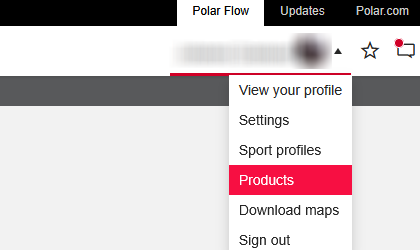
- Find the product from the list and click the delete icon (X). Confirm by clicking Remove.
- Check the list of paired Bluetooth devices on your phone, and remove Polar 360 from the list if it's there:
iOS: Settings > Bluetooth > tap “i” next to Polar 360 > Forget This Device.
Android: Settings > Bluetooth > tap the cogwheel image next to your Polar 360, and FORGET.
To pair a new phone
Note that you have to do the pairing in the Flow app and NOT in your phone’s Bluetooth settings. Keep the device within one meter of your phone during pairing.
-
Download the Flow app from the App Store or Google Play.
-
Make sure your phone has Bluetooth turned on, and airplane mode/flight mode is not turned on.
Android users: make sure location is enabled for the Polar Flow app in the phone's application settings.
-
Plug the device into a powered USB port or a USB charger.
- On your phone, open the Flow app and sign in with your Polar account.
Android users: If you have several Flow app compatible Polar devices in use, make sure you have chosen Polar 360 as the active device in the Flow app. By doing this the Flow app will connect with your device when pairing.
- Flow app automatically prompts you to pair your Polar 360. Accept the Bluetooth pairing request on your phone.