Phases
Add phases to your training session. After adding a phase you can choose to view performance data from that phase only. Phases can only be added in the web service, and they can only be added after a training session is finished. Phases cannot be added during a training session.
Add Phase
- Choose a training session in the Activities view.
- Click
 on the right.
 - Click ADD PHASE, press and hold the right mouse button and at the point you want to start the phase, and drag until you reach the point you want to end the phase, and then release the mouse button. Or type the phase start and end time in the boxes.
- Name the phase.
- Click SAVE PHASE.
View Phase Data
- Choose a training session.
- Tick the phase box
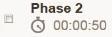 of the phase you want to view.
 - The data for that phase only is shown