Recording training sessions with Flow app
You can use Polar 360 as a heart rate sensor during your training sessions and record these sessions with the Flow app.
To train with Polar 360 and the Flow app:
-
Wear your Polar 360 snugly on your wrist.
- In the Flow app, go to Start > Training.

- In order to use Polar 360 as a heart rate sensor with the Flow app, it must be paired as a heart rate sensor on the Training settings page in the Flow app. Tap the
 icon to open the Training settings page. Find your device on the page and tap Pair. Tap Done to return to the Training page.
 - Choose a sport profile by tapping the sport icon. If you choose an outdoor sport profile, the Phone GPS will be switched on to track your training route on the map.
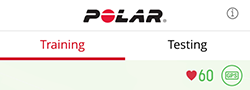
- When you see your current heart rate and a solid circle GPS icon, tap Start to begin the session.
You can change the map view by tapping the  icon on the top of the map. You can also scroll and zoom the map as you want by swiping and pinching it. Bring back focus to your location by tapping the
  icon. Swipe the bottom of the page to change between heart rate and pace views.

To end a training session:
-
Tap Pause.
-
Tap and hold Stop and save the session.