Watch face, views and menu
Watch face
You can customize the Polar Ignite 3 watch face by choosing different styles and colors from a set of pre-defined options. In addition, you can choose the widgets displayed on the watch face. Widgets allow you to see information at a glance and they also provide quick access to functions, such as countdown timer and Serene breathing exercise. Find out more in Watch face settings.

Views
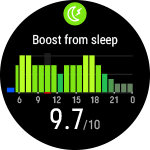
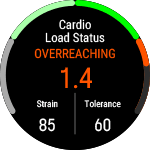
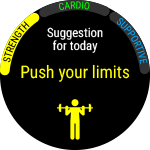
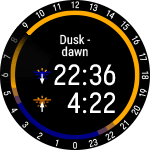
Swipe left or right from the watch face to access Polar Ignite 3 views. In the views, you'll have a variety of timely and relevant data ready at your fingertips. Whether you're looking to see information about your daily activity, get insights on your sleep, get suggestions for ready-made, easy-to-follow workouts, or just check the weather, you'll find the information with just a few swipes. Scroll through the views by swiping left or right and open a more detailed view by tapping the display. You can choose the views you want to be displayed. For more information, see Choose views.



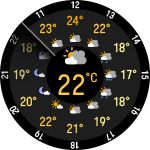

Menu
Enter the menu by pressing the button and browse through the menu by swiping up or down. Confirm selections by tapping the display, and return with the button.
Start training
From here you can start your training sessions. Tap the display to enter the pre-training mode and browse to the sport profile you want to use.
See Start a training session for detailed instructions.
Serene guided breathing exercise
First, tap Serene and then tap Start exercise to start the breathing exercise.
For more information, see Serene™ guided breathing exercise.
Timers
In Timers you'll find an alarm, a stopwatch and a countdown timer.
Alarm
Set the time for the alarm, and then choose the repetition option: Once, Every day, Mon-Fri, Sat-Sun or Choose days. For more information, see Alarms.
When the alarm is set on, a clock icon is displayed in the time view.
Stopwatch
To start the stopwatch, tap the top half of the display. To add a lap, tap again. To pause the stopwatch, press the button.
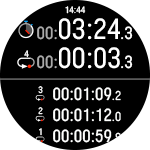
Countdown Timer
You can set the countdown timer to count down from a preset time.
Set the countdown time, and tap  to confirm and start the countdown timer. The countdown timer is added to the top of the watch face.
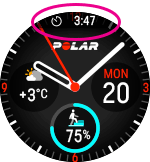
At the end of the countdown, the watch notifies you by vibrating. Tap  to restart the timer, or tap
  to cancel and return to the time view.
During training you can use interval timer and countdown timer. Add the timer views to training views in the sport profile settings in Flow and sync the settings to your watch. For more information on using timers during training, see During training.
Tests
Walking test
You can use the Walking Test to keep track of how your aerobic fitness is developing. It's simple, safe and easy to repeat.
For more information see Walking Test.
Running test
The Running Performance Test helps you keep track of your progress and personalize your heart rate and speed zones.
For more information see Running Performance Test.
Fitness test
Measure your fitness level easily with wrist-based heart rate while you lie down and relax.
For more information see Fitness Test with wrist-based heart rate.
Settings
You can edit the following settings on your watch:
- General settings
- Views
- Watch face
- Time and date
- Physical settings
- Data & security
- Under About your watch, you can check your watch's device ID, firmware version, HW model, and A-GPS expiry date. You can also restart your watch, turn it off or reset all data and settings on it.
In addition to the settings available on your watch, you can edit Sport Profiles in the Polar Flow web service and app. Customize your watch with your favorite sports and the information you want to follow during your training sessions. See Sport Profiles in Flow for more information.