Alarms
You can set multiple alarms on your watch, each set to occur once or on a repeating schedule. Alarms can be created from the main menu, the quick settings menu, or the alarm widget.
To set an alarm:
In the main menu, go to Timers > Alarms. Alternatively, tap the alarm icon in Quick settings, or tap the alarm widget. If you don’t have the widget on the watch face, you can add it in Watch face settings.
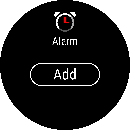
Tap Add to create a new alarm.
- Set the alarm time.
- Choose the repetition option: Once, Every day, Mon-Fri, Sat-Sun or Choose days.
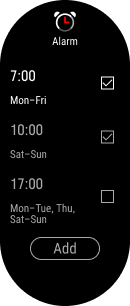
Once you’ve created alarms, you can:
- See the time and repetition setting for each alarm.
-
See which alarms are active.
- Tap an alarm to open the edit view.
- Add another alarm by tapping Add.
In the Edit alarm view you can:
- Turn the alarm on or off.
- Change the alarm time.
- Change the repetition option.
- Delete the alarm.
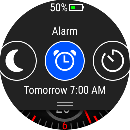
You can see the time for your next alarm from the quick settings menu and from the alarm widget.
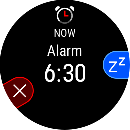
When the alarm sounds, you can dismiss it to stop the alarm, or you can snooze it. The snooze time is 10 minutes.
The alarm widget shows the time remaining until a snoozed alarm. If you don’t have the widget on the watch face, you can check the remaining time from the quick settings menu.