


























Trimming training sessions
Applies to: Flow web service
Trimming allows you to adjust the start and end points of your training session to match the actual session duration, for example if you forgot to stop the session on your watch.
There are no time restrictions for trimming. You can trim any training session whenever you want, and you can always return to the original version.
To trim your past training sessions in the Flow web service:
Open the training session from your Diary.
You can start trimming from two places on the page:
- In Training summary, open the Edit dropdown menu and select Trim.
- Or, in the Training details section, click the Trim icon
 in the toolbar.
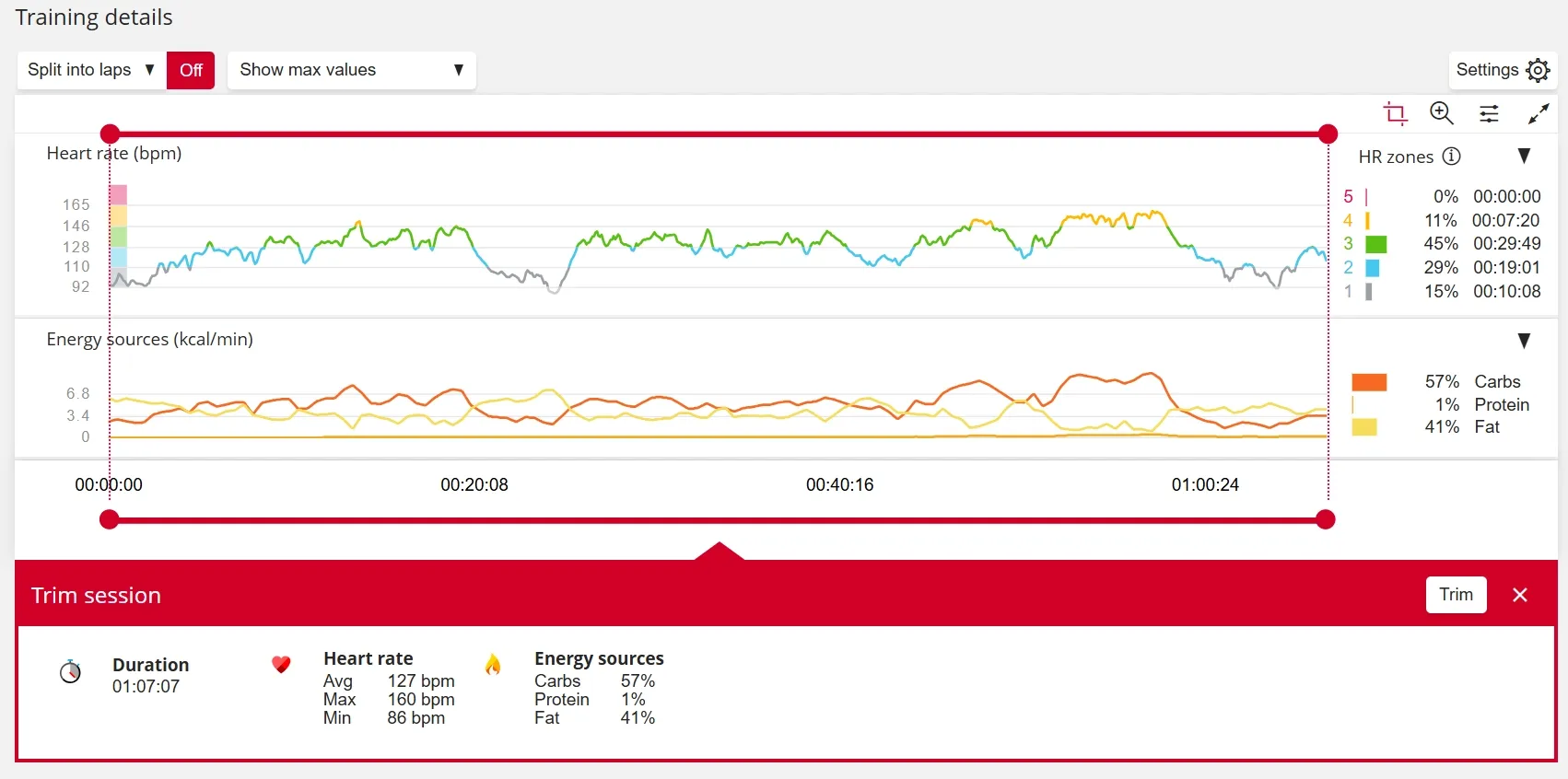
Drag the round red handles to the desired training session start and end times, then click Trim.
Confirm your selection by clicking Trim again.
The session is now trimmed. The changes are applied to the training session data and synced across Polar services. A Trimmed label appears next to the sport title.
If needed, you can return to the original session by clicking the Trim icon and choosing Undo trim.
To trim your past training sessions in the Flow app:
Open the training session from your Calendar.
Tap the Trim icon and turn your device sideways to the landscape view.
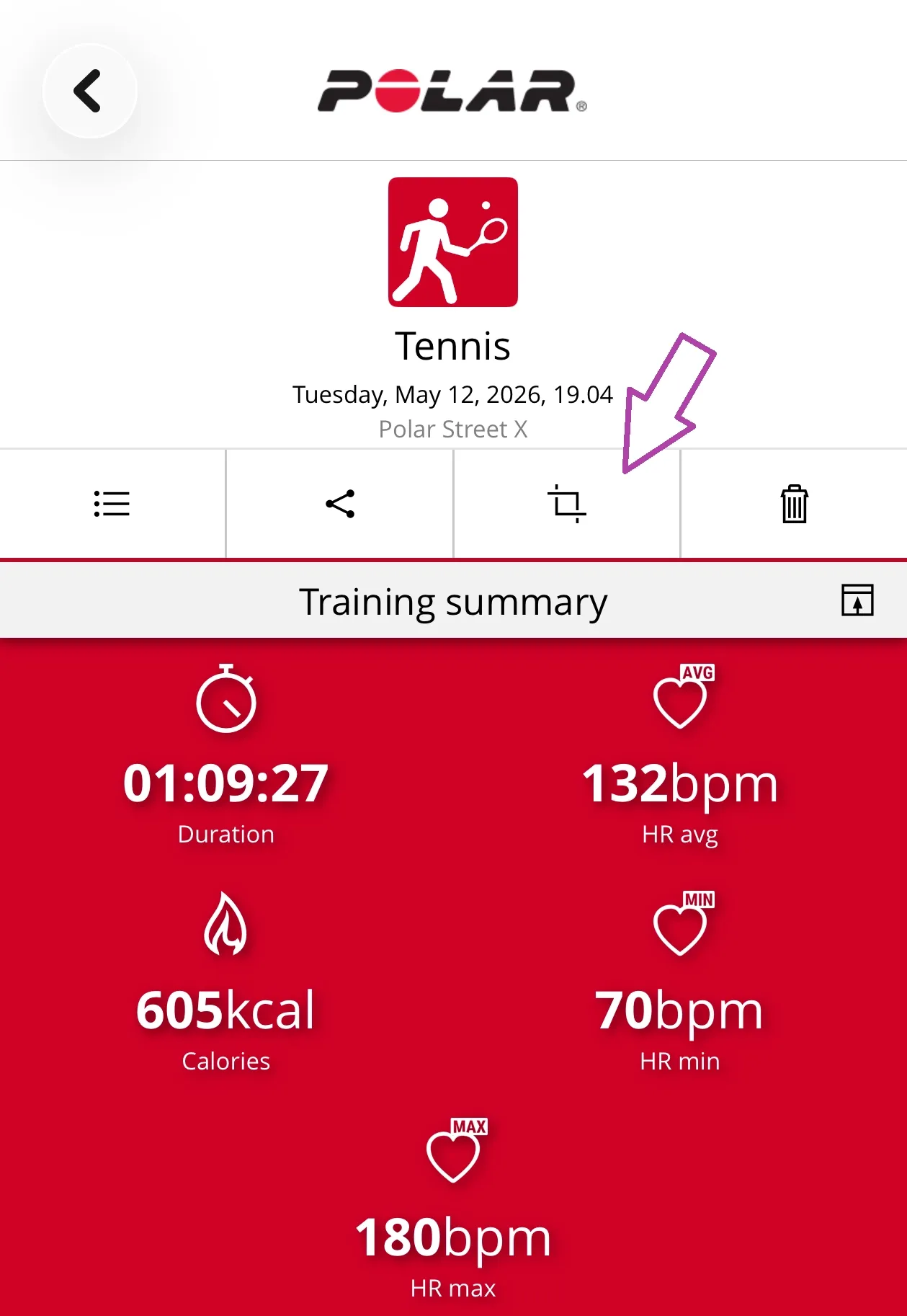
Drag the handles to the desired training session start and end times, then tap Trim.
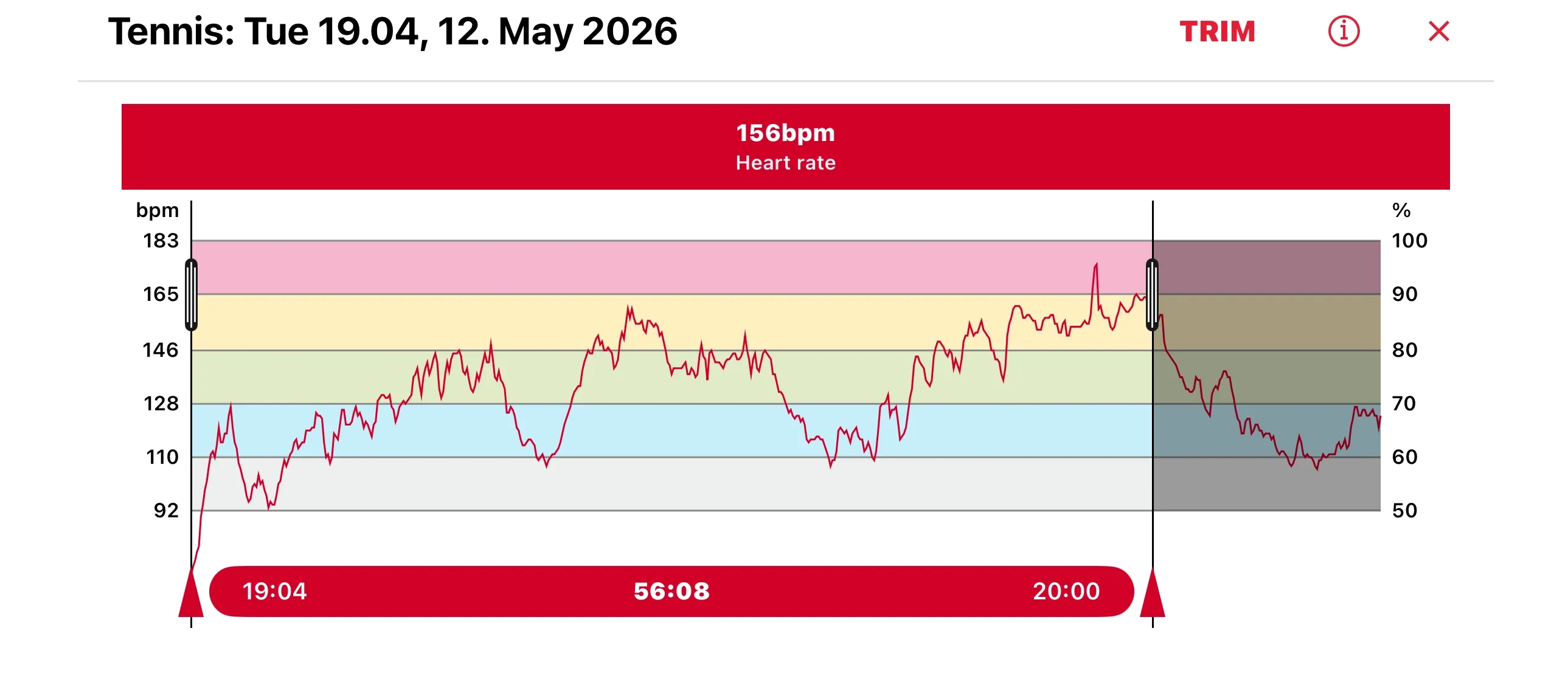
Tap Continue and confirm the trimming by tapping Yes.
The session is now trimmed. The changes are applied to the training session data and synced across Polar services. A Trimmed label appears next to the sport title.
If needed, you can return to the original session by tapping the Trim icon and choosing Undo.
Restrictions
- You cannot trim an already trimmed session. You must first revert to the original session before trimming again.
- If you’ve connected your Polar account to other services, trimmed training sessions won’t transfer automatically. You’ll need to export and import them manually.