


























How can I reset my OH1/Verity Sense?
Applies to: FlowSync Verity Sense OH1+
If you experience problems with your Polar sensor, you can reset the sensor back to factory settings. Note that resetting the sensor back to factory settings empties all personal data and settings from the sensor, and you will need to set it up again for your personal use. All data that you have synced from your sensor to your Flow account is safe.
Verity Sense
To reset the sensor to factory settings
Turn the sensor on by pressing the button.
Open the Flow app and go to Devices on the main menu.
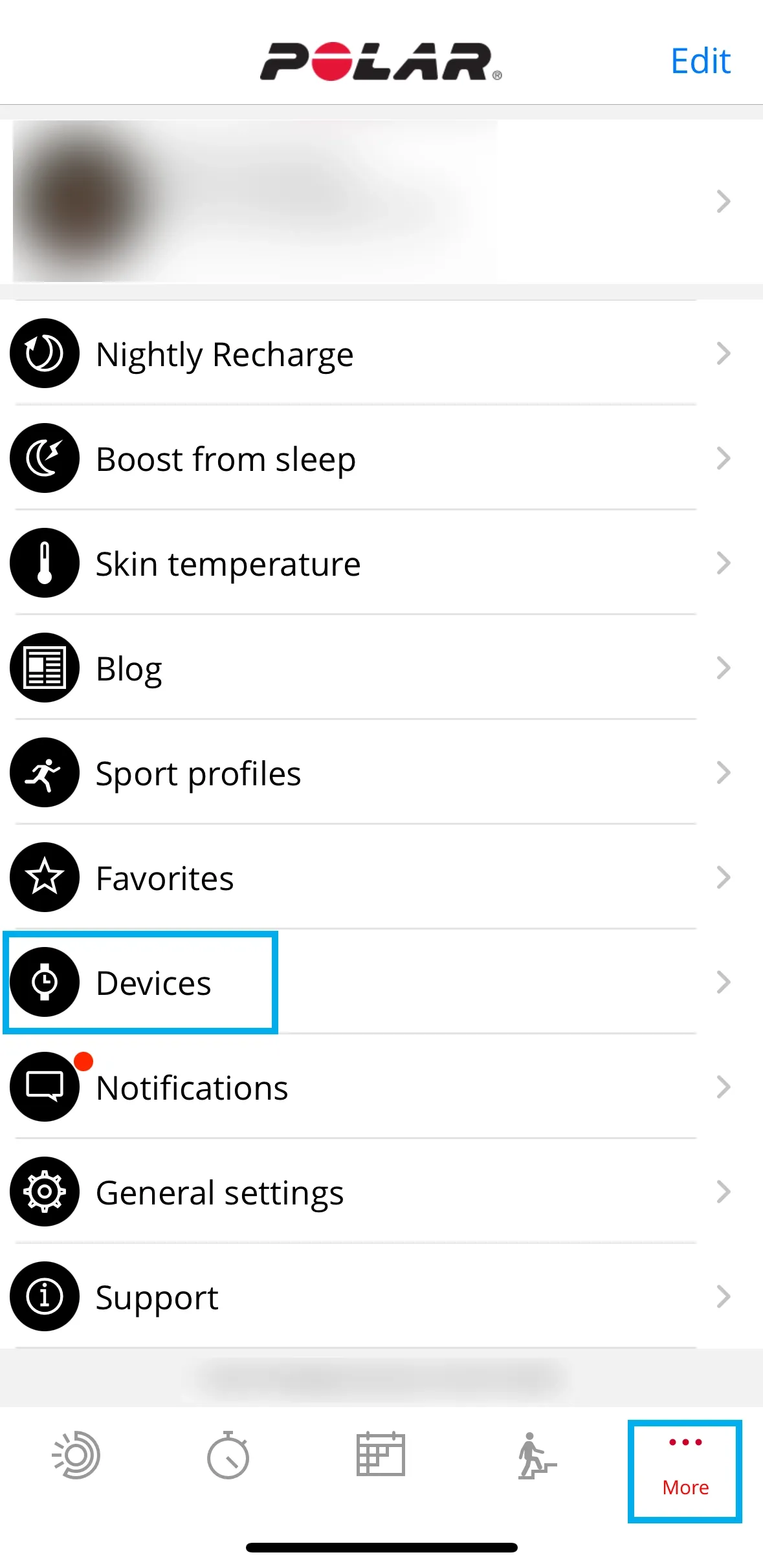
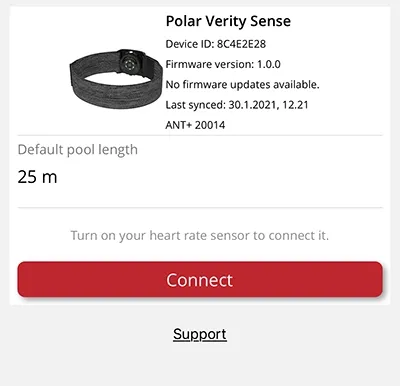
If you have multiple devices, swipe left or right to browse the devices list and find Polar Verity Sense.
Tap Connect.
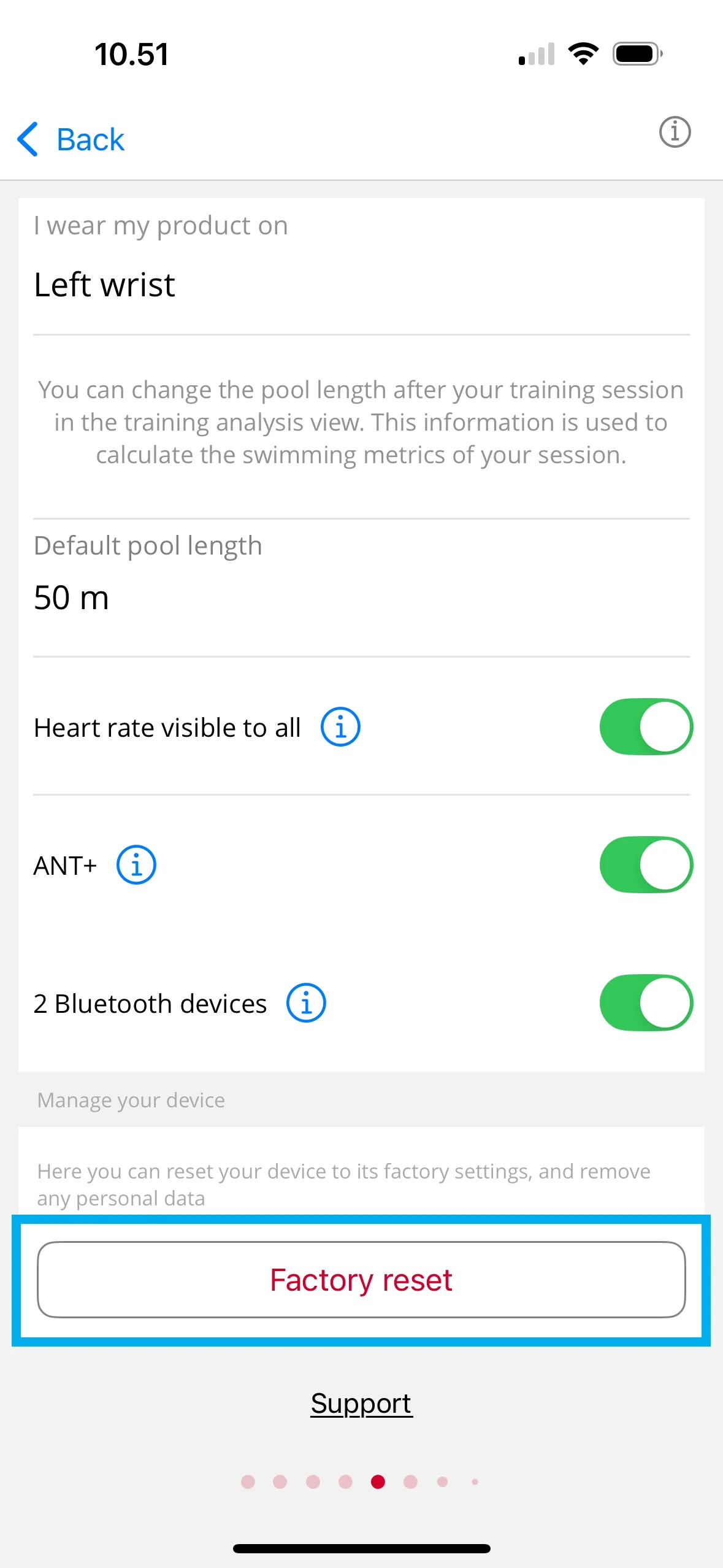
Tap Factory reset to reset your device to its factory settings, and remove any personal data.
For personal use, set up your sensor again to link it to your Polar account and receive the latest updates, if any are available. Be sure to use the same Polar account you used before resetting.
OH1
To reset the sensor to factory settings
- Go to flow.polar.com/start and download and then install the Polar FlowSync data transfer software onto your computer.
- Place the sensor into the USB adapter with the lens facing up so that the contacts on the sensor and USB adapter meet.
- Open settings in FlowSync.
- Press the Factory Reset button.
- If you use Flow app to sync, check the list of paired Bluetooth devices on your phone, and remove your sensor from the list if it's there.
- For personal use, set up your sensor again to link it to your Polar account and receive the latest updates, if any are available. Be sure to use the same Polar account you used before resetting.
Shop maintenance
Sorry, our shop is currently down for planned maintenance. To track the progress of the break, head over to https://status.polar.com/