Flashlight
Street X has an integrated LED flashlight with adjustable white light and a red light mode. You can turn on the flashlight by pressing LIGHT. You can also turn it on by tapping the Flashlight icon in Quick settings, or by using the Flashlight widget, which can be added in Watch face settings. During training, press LIGHT to turn on the flashlight.
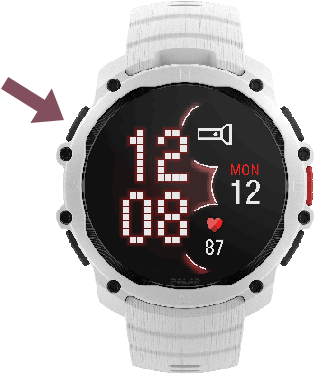
From the flashlight screen that opens, you can:
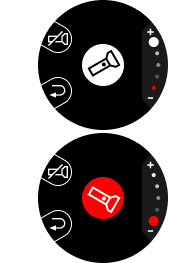
- Swipe up or down to change the flashlight brightness or switch color to red.
- Press LIGHT to turn off the flashlight and return to the time view.
- Tap the flashlight button to turn off the flashlight while staying on the flashlight screen.
- Press BACK to return to the time view while keeping the flashlight on. From the time view or other views, press LIGHT to turn off the flashlight.
When you turn on the flashlight again, it uses the last selected brightness and color settings.