Resetting the sensor
Resetting the sensor to factory settings can be used as a troubleshooting method, if the sensor is not working as it should. Reset the sensor also if you are planning to sell it.
Sensor pairing with a Polar or third-party device or app is required after a reset, update, or battery replacement if you are using a firmware version earlier than 3.3.1 for H9.
Resetting via Flow app
-
Wear the heart rate sensor.
-
Open the Flow app and go to Devices on the main menu.
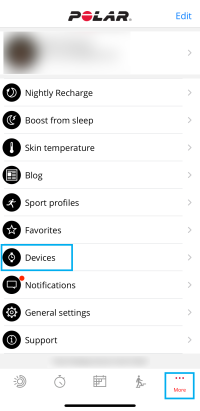
-
If you have multiple devices, swipe left or right to browse the devices list and find Polar H9.
-
Tap Connect.
-
Tap Factory reset to reset your device to its factory settings, and remove any personal data.
Resetting by removing the battery
-
Remove the battery.
-
Press the metal snaps that attach to the strap with your fingers for at least 10 seconds.
-
Wait 30 seconds and then put the battery back in.